
#10 Crypto Cockpit: Advanced Analytics & Crypto Portfolio Side Panels
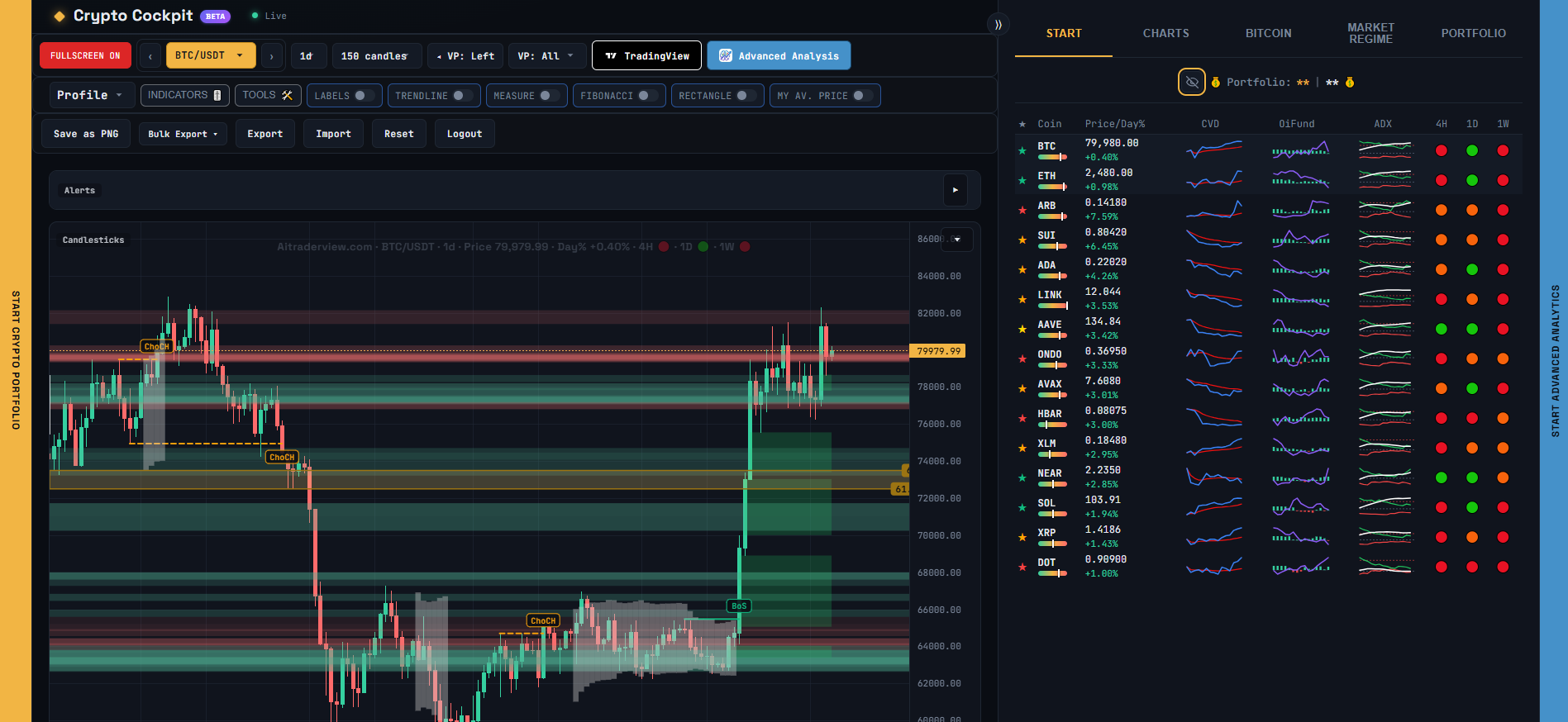
Cockpit can open two other parts of AiTraderView right next to the chart, in slide-out panels, so you don’t have to leave the page to check them.
## Opening the panels
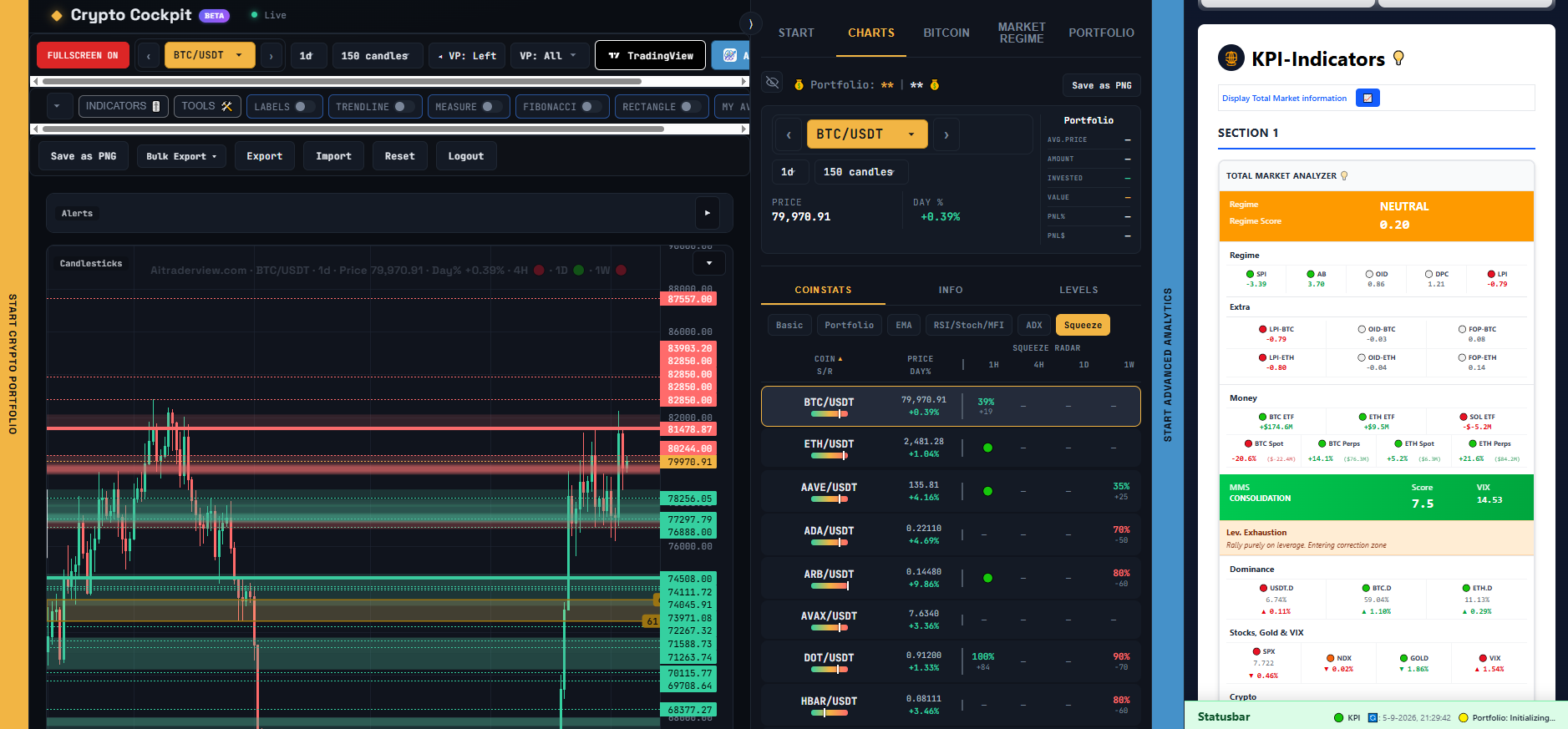
– On the **right edge** of the screen, a thin handle labeled “Start Advanced Analytics” opens the full Advanced Analytics app (the same KPI dashboard you’d get at app.aitraderview.com) in a panel on the right.
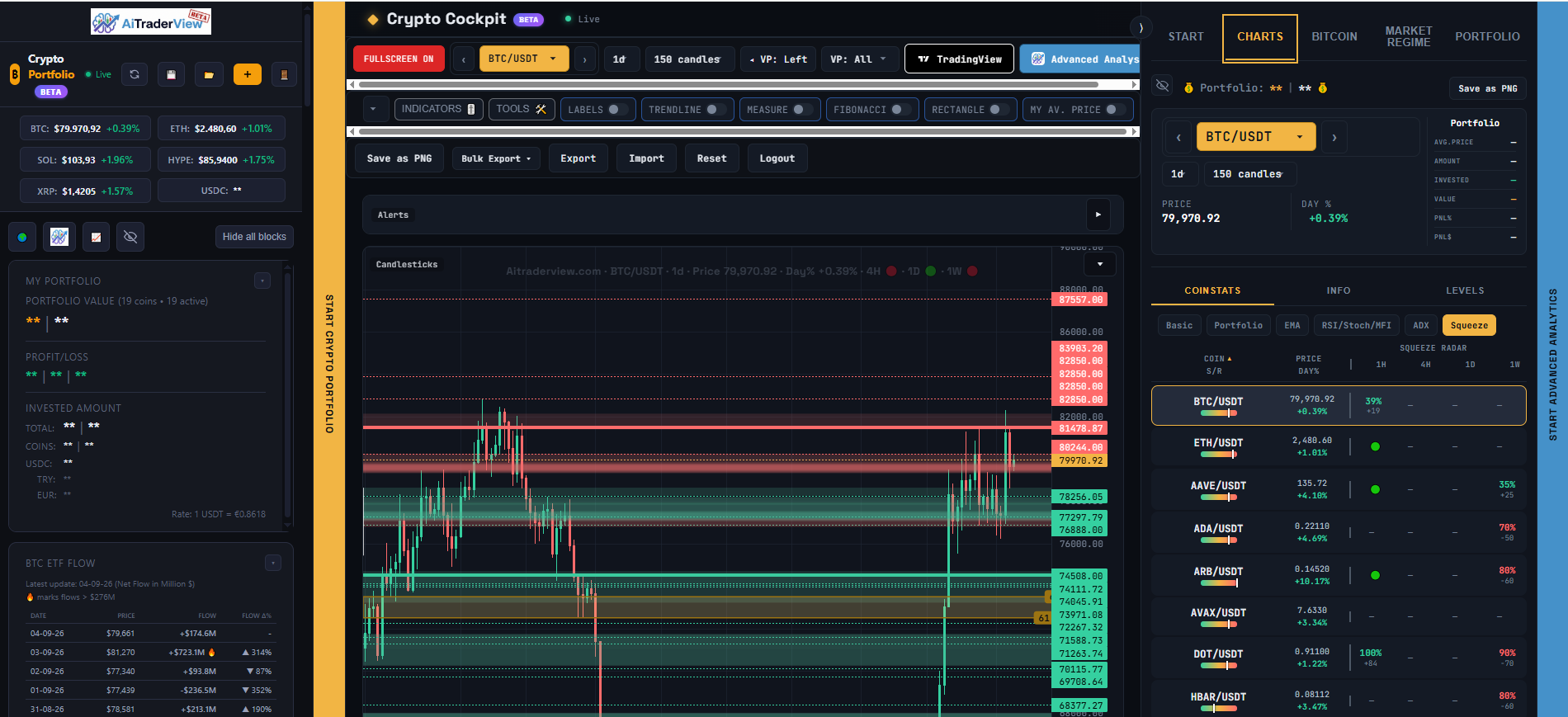
– On the **left edge** of the screen, a thin handle labeled “Start Crypto Portfolio” opens your Crypto Portfolio in a panel on the left.
Click a handle to snap the panel open at a default width, or drag it to resize the panel to whatever width you want. Drag it all the way back to the edge (or click it again) to close the panel.
[SCREENSHOT: The left-edge handle opening the Crypto Portfolio panel]
[SCREENSHOT: The right-edge handle opening the Advanced Analytics panel]
## Clicking a coin inside a side panel
Clicking a coin inside the Crypto Portfolio panel (or the Advanced Analytics panel) selects that coin in Cockpit’s own chart — it does not reload the side panel itself with a new page. This means you can browse your portfolio or the KPI dashboard on the side while the main chart in the middle updates to whatever coin you click.
## A note on these panels
These are the same Crypto Portfolio and Advanced Analytics pages you can also open directly — Cockpit just gives you a quick way to have them open side-by-side with the chart. Anything you change there (your portfolio entries, KPI settings, and so on) is the same data either way.
⚠️ RISK WARNING & AI DISCLOSURE
- This information is generated by Artificial Intelligence (AI) and complex algorithms. While advanced, these systems can contain errors or inaccuracies and are for educational purposes only.
- Technical analysis provides no guarantees; this information is purely informative.
- All discussed scenarios are hypothetical and do not constitute predictions or expectations.
- Past performance is not an indicator of future results.
- This is not financial advice and is not intended as a call-to-action for the reader.
- No implicit direction is claimed, and no specific behavior of market participants is suggested.