
#10 Crypto Cockpit:Advanced Analytics 与 Crypto Portfolio 侧边面板
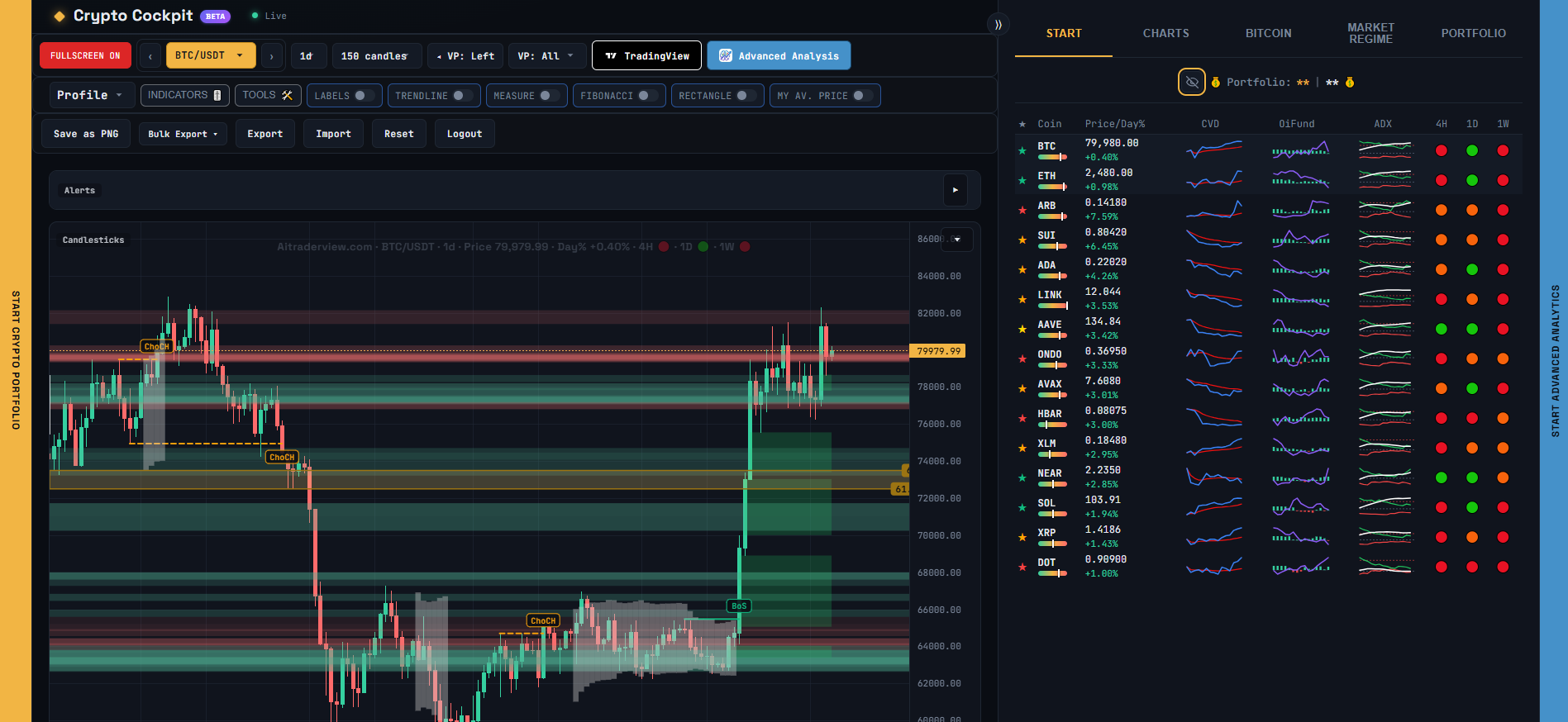
Cockpit 可以在图表旁的滑出面板中打开 AiTraderView 的另外两个部分,这样你无需离开页面即可查看它们。
## 打开面板
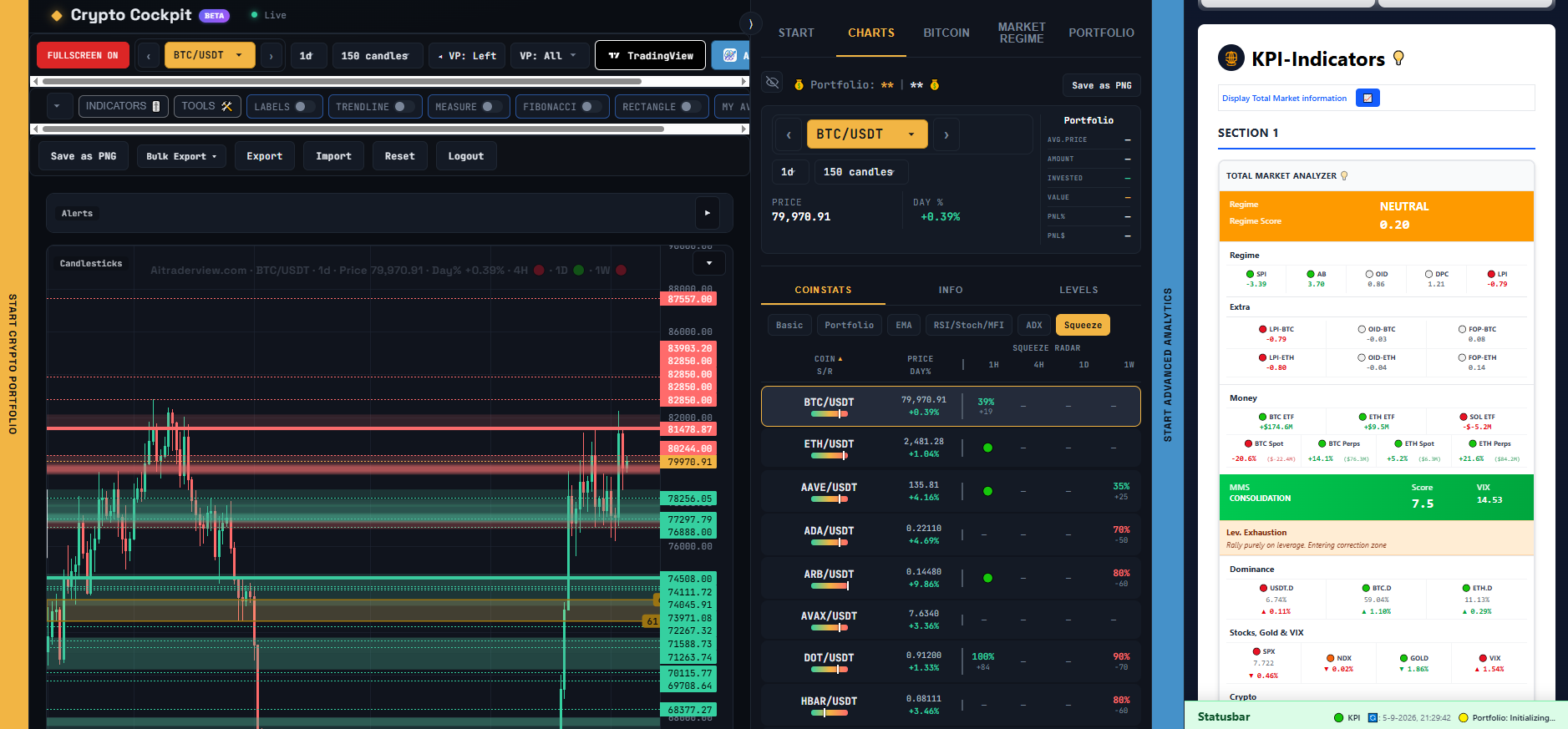
– 在屏幕的 **右边缘** ,一个标有“Start Advanced Analytics”的细长手柄会在右侧面板中打开完整的 Advanced Analytics 应用(与你在 app.aitraderview.com 上看到的 KPI 仪表盘相同)。
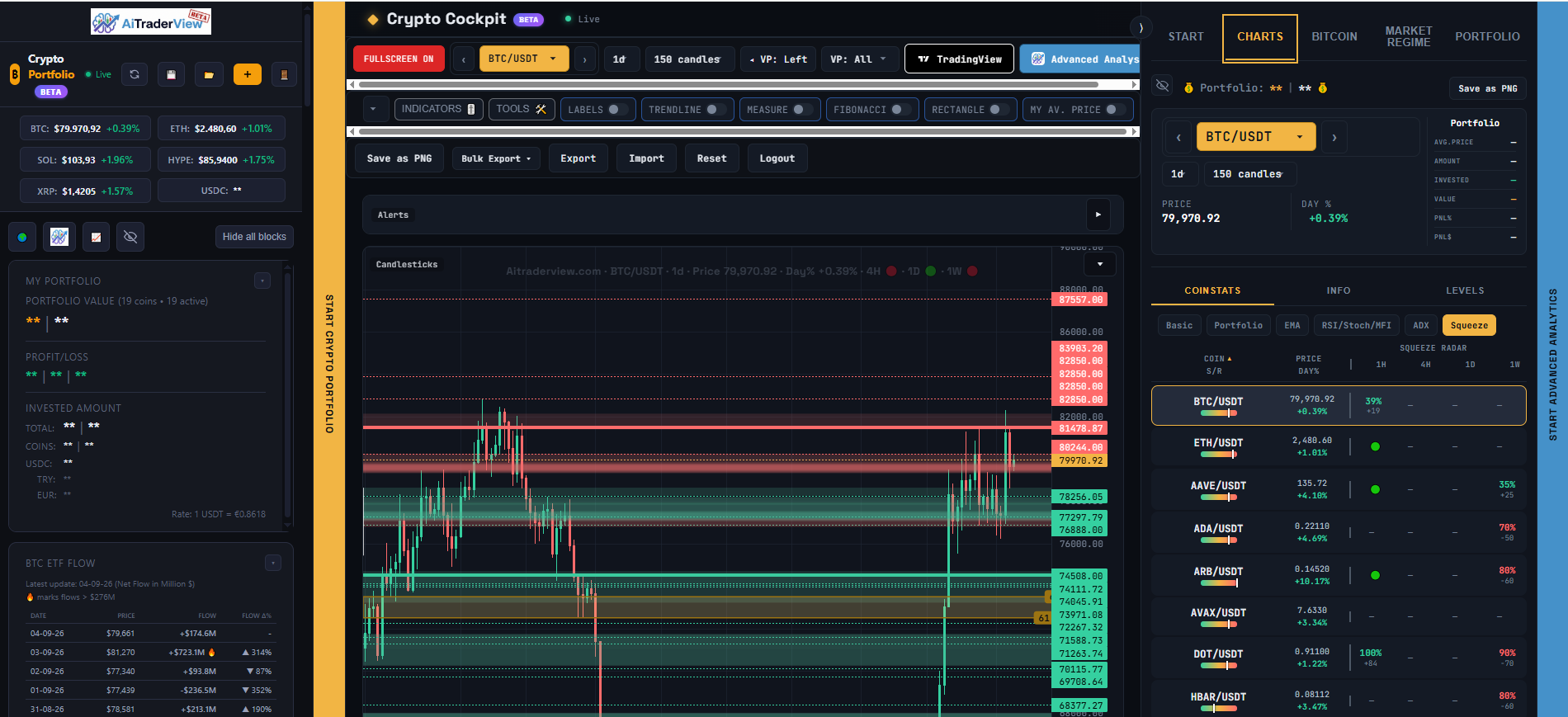
– 在屏幕的 **左边缘** ,一个标有“Start Crypto Portfolio”的细长手柄会在左侧面板中打开你的 Crypto Portfolio。
点击手柄可将面板以默认宽度弹出,或拖动它将面板调整到任意宽度。将其一直拖回边缘(或再次点击)即可关闭面板。
[SCREENSHOT: The left-edge handle opening the Crypto Portfolio panel]
[SCREENSHOT: The right-edge handle opening the Advanced Analytics panel]
## 在侧边面板中点击币种
在 Crypto Portfolio 面板(或 Advanced Analytics 面板)中点击某个币种,会在 Cockpit 自己的图表中选中该币种 — 不会让侧边面板本身重新加载新页面。这意味着你可以在一侧浏览投资组合或 KPI 仪表盘,同时中间的主图表会更新为你点击的币种。
## 关于这些面板的说明
这些就是你也可以直接打开的同一个 Crypto Portfolio 和 Advanced Analytics 页面 — Cockpit 只是提供了一种让它们与图表并排打开的快捷方式。无论哪种方式,你在其中更改的任何内容(投资组合条目、KPI 设置等)都是同一份数据。
⚠️ RISK WARNING & AI DISCLOSURE
- This information is generated by Artificial Intelligence (AI) and complex algorithms. While advanced, these systems can contain errors or inaccuracies and are for educational purposes only.
- Technical analysis provides no guarantees; this information is purely informative.
- All discussed scenarios are hypothetical and do not constitute predictions or expectations.
- Past performance is not an indicator of future results.
- This is not financial advice and is not intended as a call-to-action for the reader.
- No implicit direction is claimed, and no specific behavior of market participants is suggested.