
#2 Social Trading: Following Traders & Managing Your Network
Following a trader is what unlocks seeing their shared chart levels in Cockpit. This article covers finding traders, sending and approving follow requests, and managing who you follow.
## Finding traders
Use the **Discover Traders** page to search and browse public trader profiles by name or handle.
[SCREENSHOT: The Discover Traders page with a few profile cards visible]
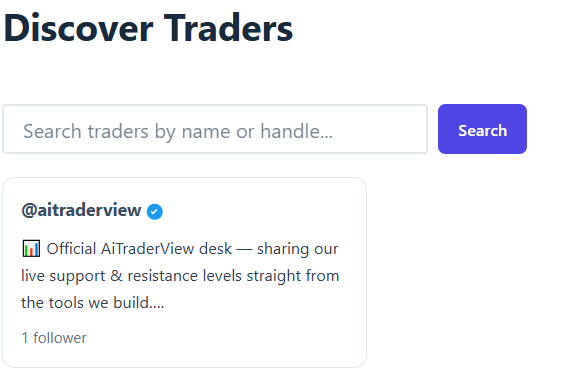
You can also go directly to someone’s profile if you already have their link (`…/trader/their-handle/`).
## Requesting to follow someone
On a trader’s profile page, click **Follow (approval required)**. This sends a follow request — it does not immediately grant access.
[SCREENSHOT: A trader’s profile page with the Follow button]
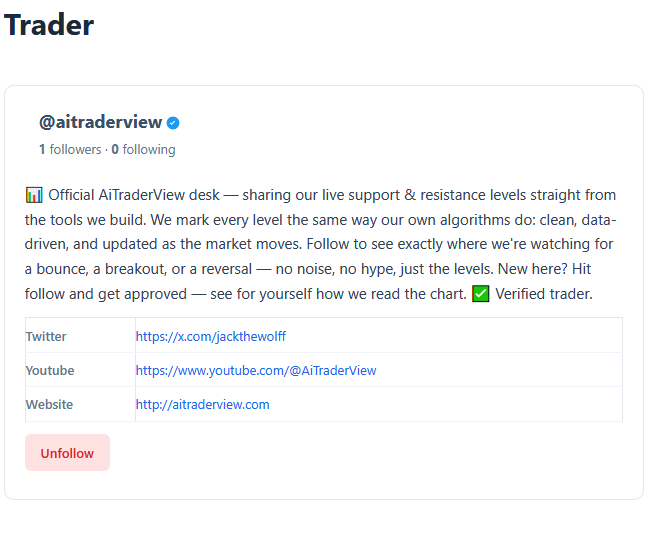
To send a follow request, you need to be logged in and have used the app a minimum number of times (this threshold is set by AiTraderView and may change). If you’re not logged in, you’ll see a prompt to log in instead of a Follow button.
While your request is pending, the button shows **Request sent**.
## Approving or rejecting requests you receive
When someone requests to follow you, you’ll receive an email, and the request appears on your **My Profile** page under **Pending follow requests**.
[SCREENSHOT: The Pending follow requests list with Approve/Reject buttons]
Each profile card on Discover Traders also shows how many articles a trader has published and how many likes they received. The Trader Articles page lists all published articles.
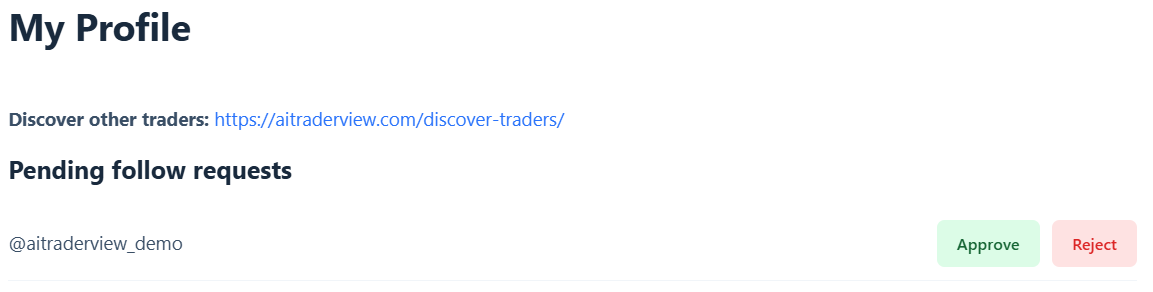
Click **Approve** to accept, or **Reject** to decline. The person who sent the request is notified of your decision by email.
## Your network
Your **My Profile** page also shows **Following** (traders you follow) and **Followers** (people following you), each with a count.
Click **Unfollow** next to anyone in your Following list to stop following them at any time. This immediately removes your access to their shared levels as well.
## A note on following
Being followed, or having a large number of followers, is not a qualification or a credential — it doesn’t mean a trader’s levels or opinions are more accurate or reliable. See the next article for more on how shared levels should be read.
⚠️ RISK WARNING & AI DISCLOSURE
- This information is generated by Artificial Intelligence (AI) and complex algorithms. While advanced, these systems can contain errors or inaccuracies and are for educational purposes only.
- Technical analysis provides no guarantees; this information is purely informative.
- All discussed scenarios are hypothetical and do not constitute predictions or expectations.
- Past performance is not an indicator of future results.
- This is not financial advice and is not intended as a call-to-action for the reader.
- No implicit direction is claimed, and no specific behavior of market participants is suggested.