
#1 Social Trading: Setting Up Your Trader Profile
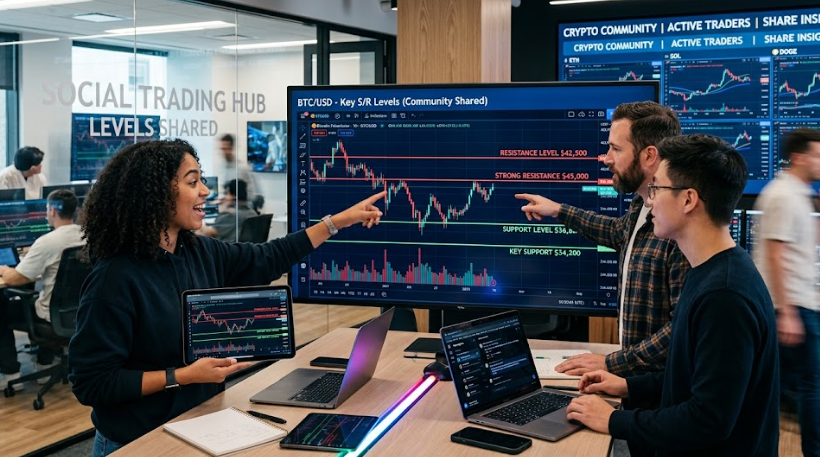
AiTraderView lets you share your chart levels with other users you approve, through a simple public profile system. This article covers setting up your own profile — the next two articles cover following other traders and viewing shared levels.
[SCREENSHOT: The “My profile” edit form]
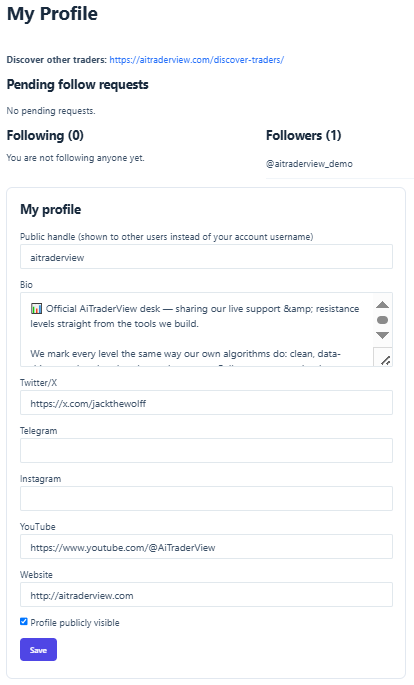
## Your public handle
Instead of showing your real account username to other people, AiTraderView shows a **public handle** (like `@yourhandle`) everywhere your identity appears — on your profile, in follow requests, in your network list, on Discover Traders, and in the Levels dropdowns in Cockpit. Your actual login is never shown publicly.
If you haven’t chosen a handle yet, one is generated automatically from your display name the first time your profile is saved, so you always have a working handle even if you never touch this setting.
To set your own handle, go to your **My Profile** page and enter it under **Public handle**.
## Bio and social links
On the same page you can add:
– A short **Bio**
– Links for **Twitter/X**, **Telegram**, **Instagram**, **YouTube**, and **Website**
These appear on your public trader profile page for anyone who visits it.
## Making your profile public
Tick **Profile publicly visible** to allow your profile to appear on the **Discover Traders** page, where other users can find and follow you. Leave it unticked if you’d rather only be reachable by a direct link to your profile.
Click **Save** to store your changes.
## What other people see
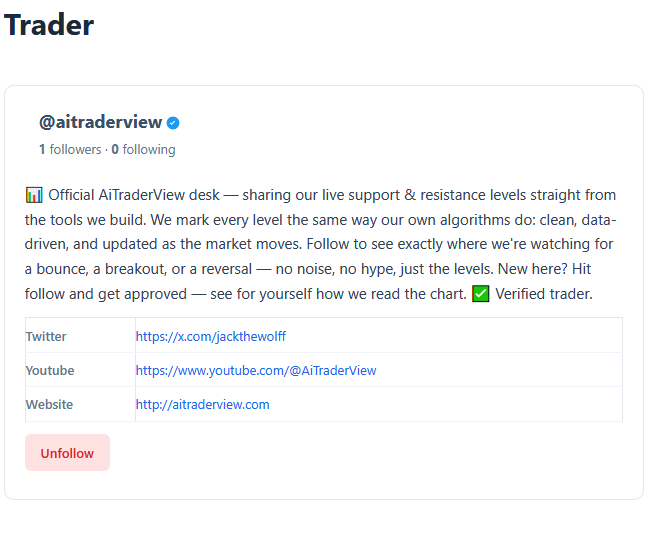
Your public trader profile page shows your handle, avatar, bio, social links, follower/following counts, and — if granted by AiTraderView — a verified badge next to your handle (see **”Viewing Shared Levels & the Verified Badge”**).
Anything you write in your bio or add as a social link is visible to anyone who can view your profile page, including people who are not logged in, unless your profile is not public.
Your profile also lists the technical-analysis articles you publish (see #4 Social Trading: Writing & Sharing Trader Articles). If you change your public handle later, old links to your profile and articles keep working.
⚠️ RISK WARNING & AI DISCLOSURE
- This information is generated by Artificial Intelligence (AI) and complex algorithms. While advanced, these systems can contain errors or inaccuracies and are for educational purposes only.
- Technical analysis provides no guarantees; this information is purely informative.
- All discussed scenarios are hypothetical and do not constitute predictions or expectations.
- Past performance is not an indicator of future results.
- This is not financial advice and is not intended as a call-to-action for the reader.
- No implicit direction is claimed, and no specific behavior of market participants is suggested.