
💡 AiTraderView App – A Comprehensive Market Intelligence Platform
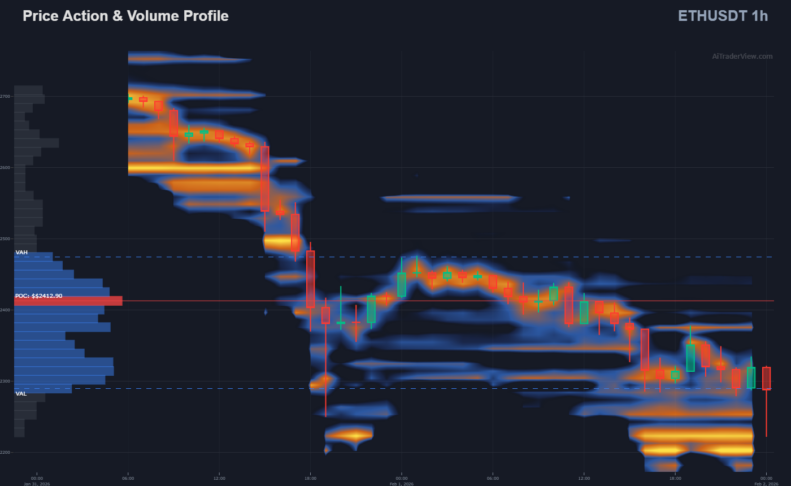
AiTraderView App: A Comprehensive Market Intelligence Platform
In the complex landscape of cryptocurrency markets, traders often manage fragmented data sources—using one platform for charts, another for sentiment, and a third for orderflow. AiTraderView addresses this fragmentation by consolidating advanced analytical tools into a single, integrated web-based application.
This article outlines how the platform integrates algorithmic analysis, automated technicals, and orderflow data to support structured decision-making.
What is the AiTraderView App?
AiTraderView App is a professional-grade Market Intelligence Application built for traders who prioritize structure and data hygiene. It functions as a decision-support system, designed to analyze market structure, momentum, liquidity, and derivatives pressure across multiple timeframes.
Rather than a simple collection of indicators, the platform aggregates diverse data streams into a coherent environment, aiming to reduce noise and enhance analytical clarity.
What Makes AiTraderView App Different?
Many platforms focus on singular market dimensions. AiTraderView integrates multiple aspects of analysis—technical charting, orderflow, derivatives data, and macro correlations—into one dashboard.
A key differentiator is the automation of technical analysis. Unlike standard charting platforms requiring manual plotting, AiTraderView utilizes algorithms to identify key market structures automatically. It is designed to act as an analytical assistant (“Co-Pilot”), ensuring users have access to a complete overview of market conditions before engaging.
Key Features of AiTraderView App
1. 📊 Automated Technical Analysis
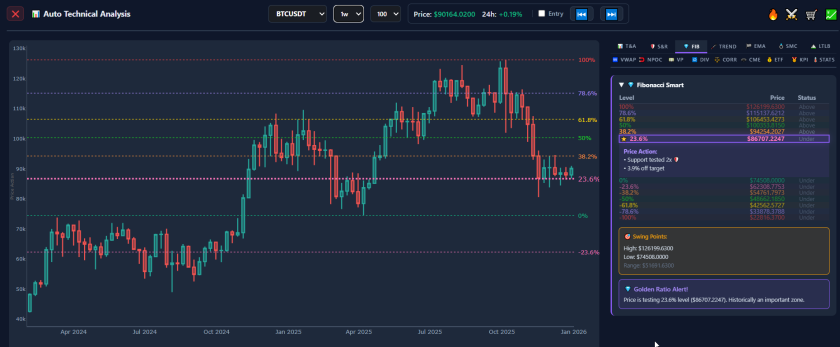
Institutional market movements often leave technical footprints. AiTraderView App uses algorithms to detect these patterns, automating the generation of:
- 🛡️ S&R: Automated Support and Resistance levels
- 💎 FIB: Automated Fibonacci Retracements
- 💍 SMC: Smart Money Concepts (Structure mapping)
- 🧲 NPOC: Naked Point of Control
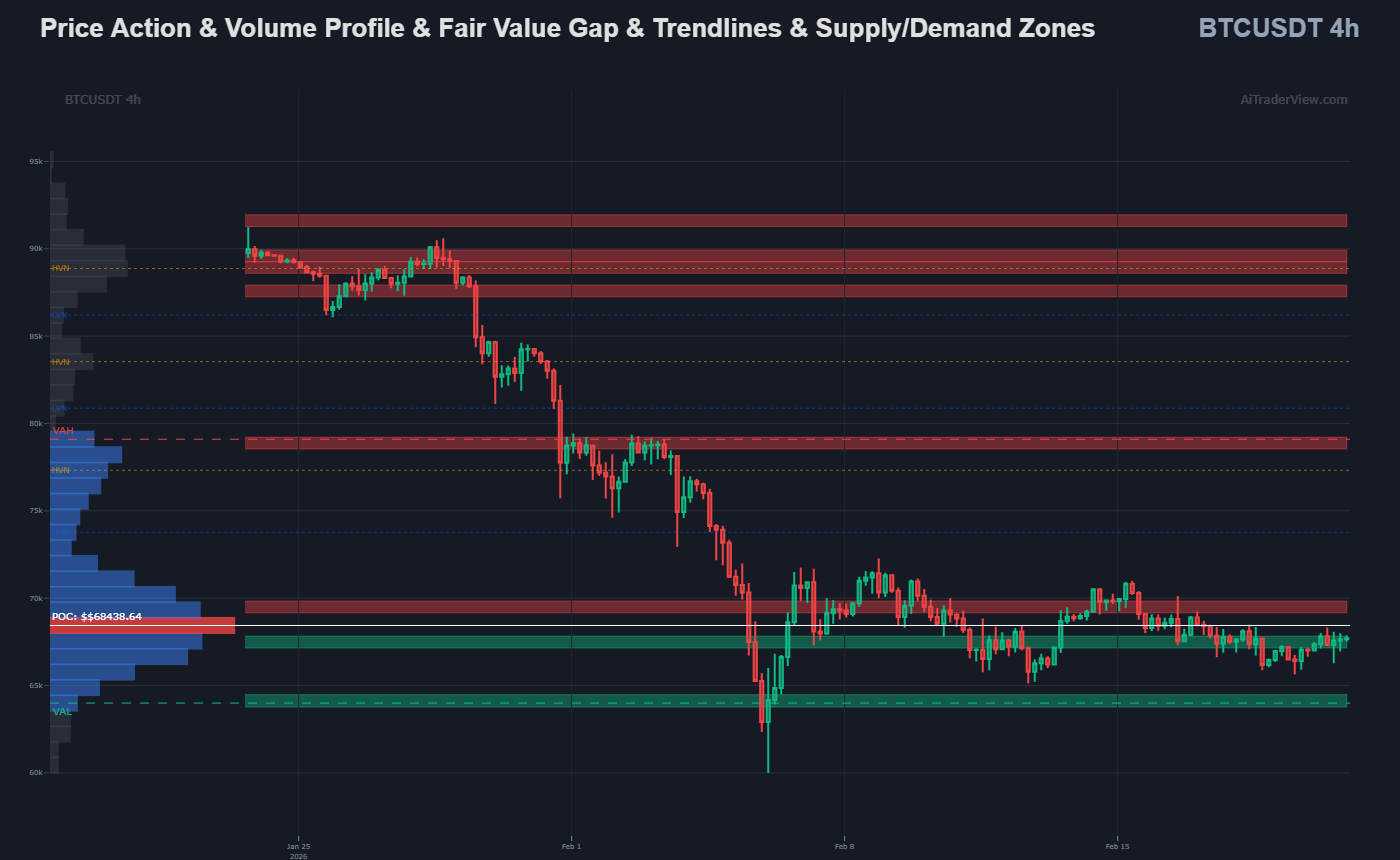
- 💵 VP: Volume Profile
- 🔁 DIV: Divergences (RSI/MACD)
- 🌡️ STATS & CORR: Statistical Volatility and Correlation metrics
All calculations are multi-timeframe aware, dynamically adjusting as market conditions shift to ensure consistent analysis.
2. 🚦 KPI Indicators (Smart Engines)
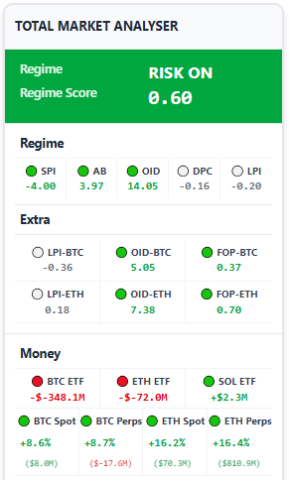
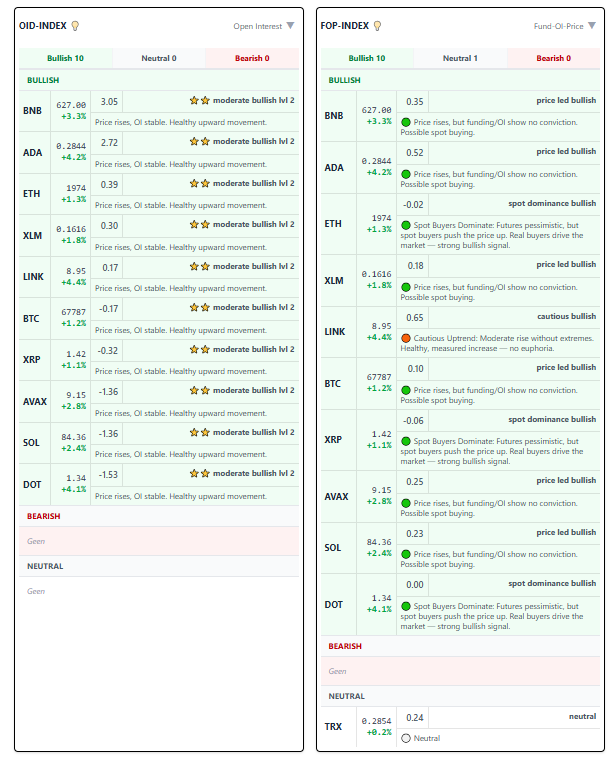
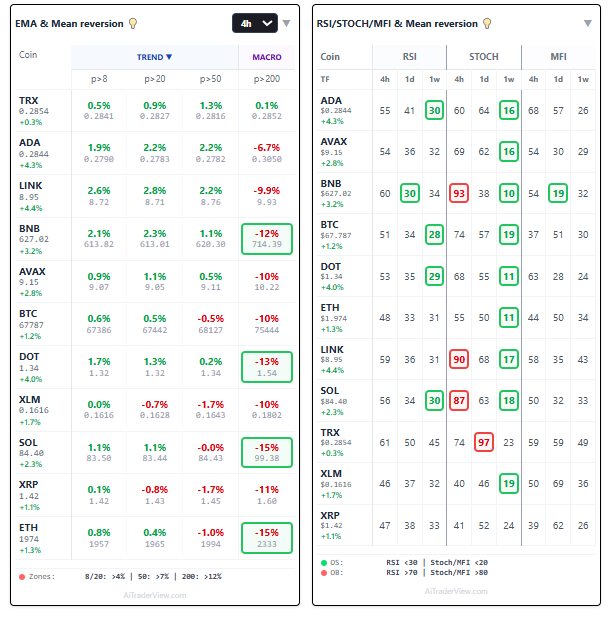
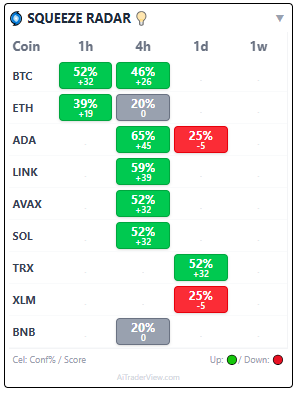
Within this system, a distinction is made between a Standard Indicator and a KPI (Key Performance Indicator).
- Standard Indicator: Calculates a single data point (e.g., Moving Average).
- KPI: Performs deep, multi-layered analysis. It aggregates insights from institutional flows, volume deltas, and market structure into a composite metric.
Core KPIs include:
- Market Quality Score (MQS): Assessing liquidity health.
- Leverage Pressure Index (LPI): Analyzing derivatives exposure.
- Derivatives Intelligence (OID & FOP): Monitoring Open Interest.
- Squeeze Radar: Detecting volatility compression.
3. 🛒 Summary Module
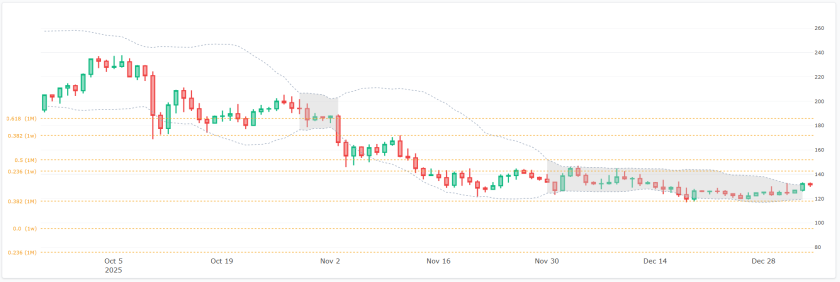
To support disciplined execution, the Summary Module offers a pre-execution audit. Before a decision is finalized, the software aggregates real-time data for the specific asset:
- Trend Alignment: Verifies the 4H or Daily trend direction.
- Volatility Status: Checks the Squeeze Radar for potential expansion.
- Structural Location: Identifies proximity to Fibonacci Golden Pockets or Resistance levels.
- Risk Assessment: Flagging potential overextended conditions.
4. ⚔️ Orderflow: Market Mechanics
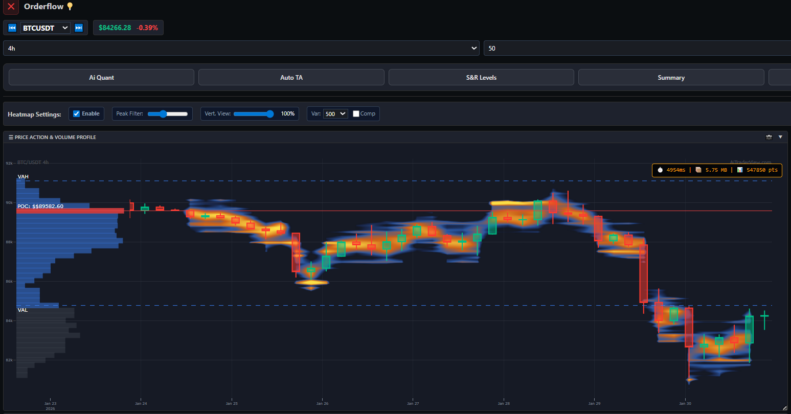
The Orderflow Module visualizes the transactional data driving price action.
- Orderbook Heatmaps: Visualizes areas of ask/bids of an Orderbook.
- Liquidation: Visualizes areas where leveraged positions may be forced to close.
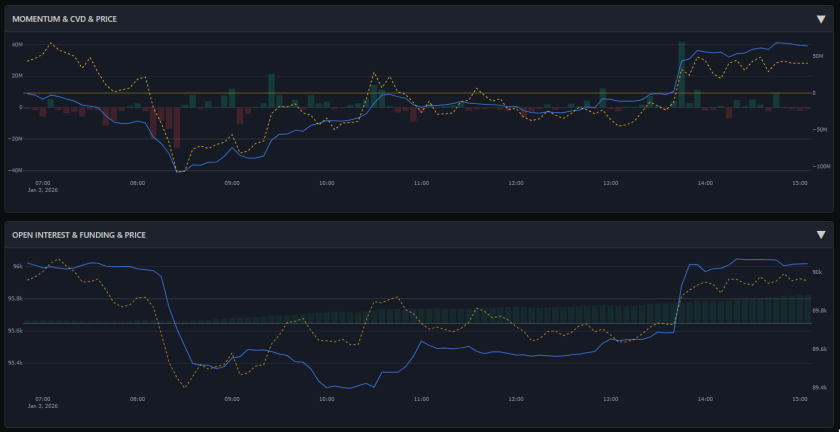
- CVD & Momentum: Tracks Cumulative Volume Delta to assess buyer/seller aggression.
- Open Interest: Monitors capital entry or exit to identify potential trend strength.
- Power Trades: Filters the order stream to highlight high-impact transactions from large market participants.
- Long/Short Account Ratios Beyond standard volume metrics, the system visualizes the ratio of Top Long versus Top Short accounts. This provides a direct look into the positioning of higher-tier traders, allowing users to gauge retail vs. institutional sentiment and identify potential squeeze scenarios.
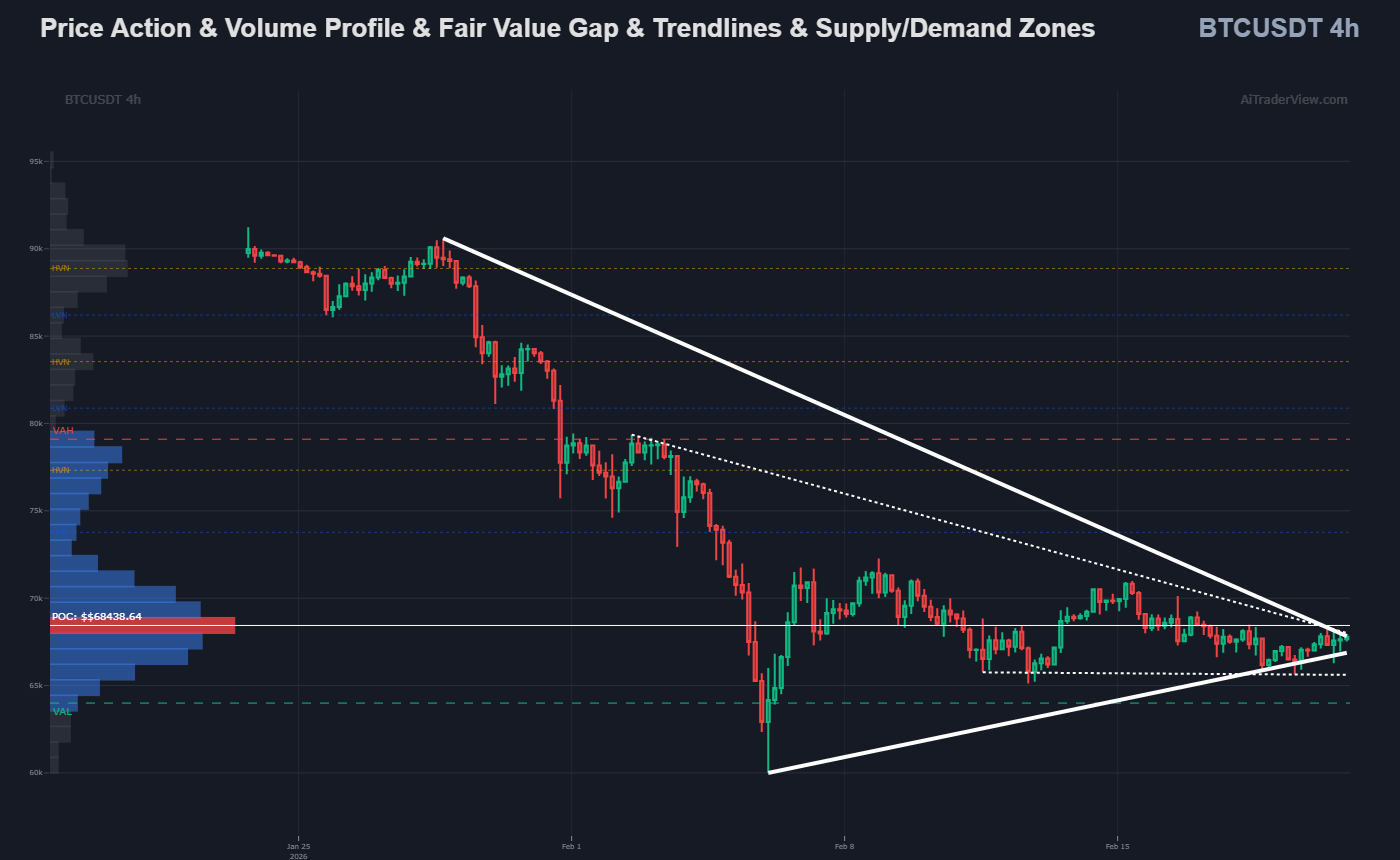
- Algorithmic Trendlines Manual trendline drawing can introduce subjective bias. The platform features an automated trendline engine that scans historical pivot points to plot the most statistically significant support and resistance trends.
- Supply/Demand Zones To highlight historical areas of heavy buying or selling interest, the system automatically fetches and renders continuous Supply and Demand zones across the chart. These semi-transparent bands help users instantly identify potential bounce or rejection levels, functioning as visual markers for clustered limit orders.
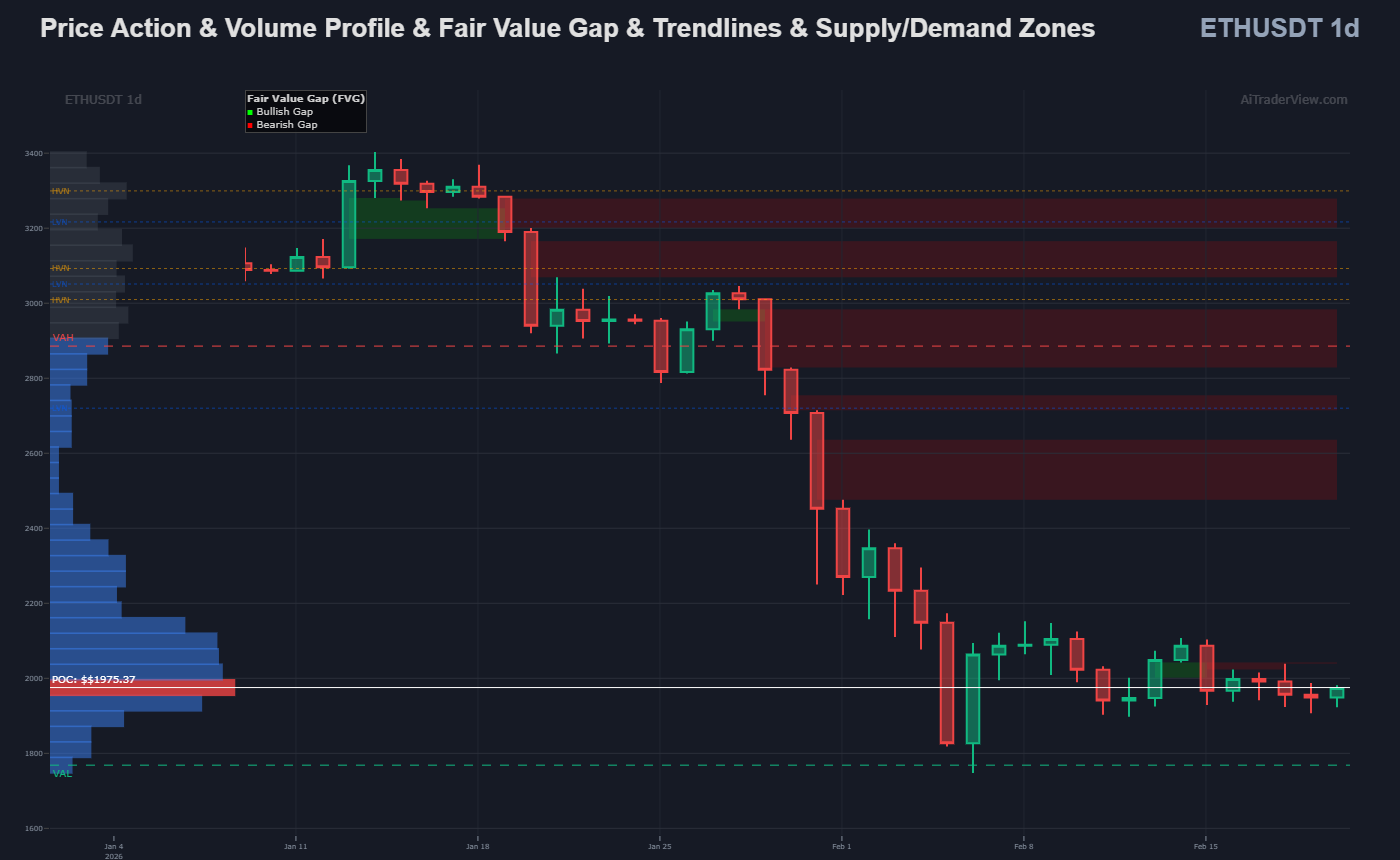
- Fair Value Gaps (FVG) The platform automatically detects and visualizes market imbalances where price moved too rapidly for efficient trading. It dynamically displays bullish (green) and bearish (red) gaps, adjusting or completely removing them in real-time as subsequent price action fills these historical liquidity voids.
5. 🔥 Heatmap: Support & Resistance
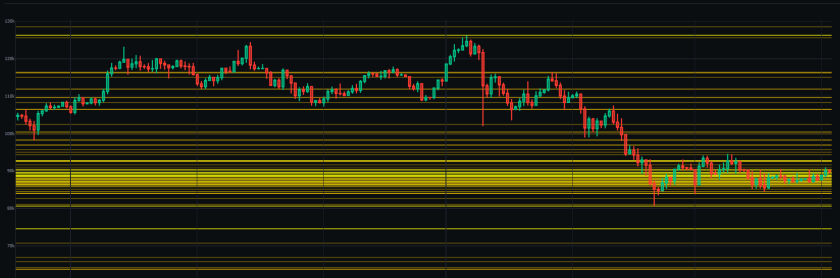
Manual plotting of levels can be subjective. The Support and Resistance Heatmap aggregates data points—such as daily pivots, Points of Control (POC), and Golden Pockets—and visualizes them as a dynamic heat zone. This helps users objectively identify areas of high technical confluence.
6. 💼 Paper Trading (Simulation)
The Portfolio section provides a safe environment for strategy testing.
- Portfolio Treemap: A visual breakdown of asset allocation.
- Paper Trading: A simulation module allowing users to test theories or platform signals without financial exposure.
7. 🌍 Crypto Heatmap Statistics
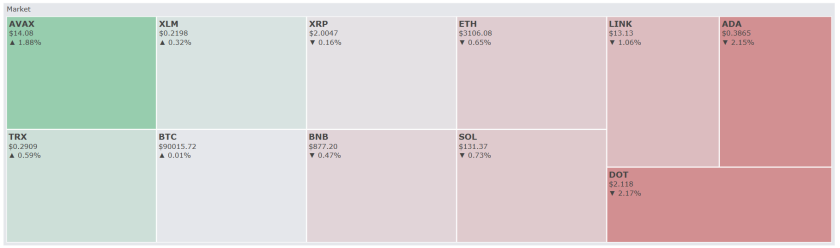
To identify market outliers efficiently, the Crypto Heatmap Statistics section filters real-time data. This allows users to view daily gainers, losers, and volatility leaders (ADX) instantly, providing a quick overview of market sentiment without scanning individual charts.
8. 🏆 Market Overview (Macro Context)
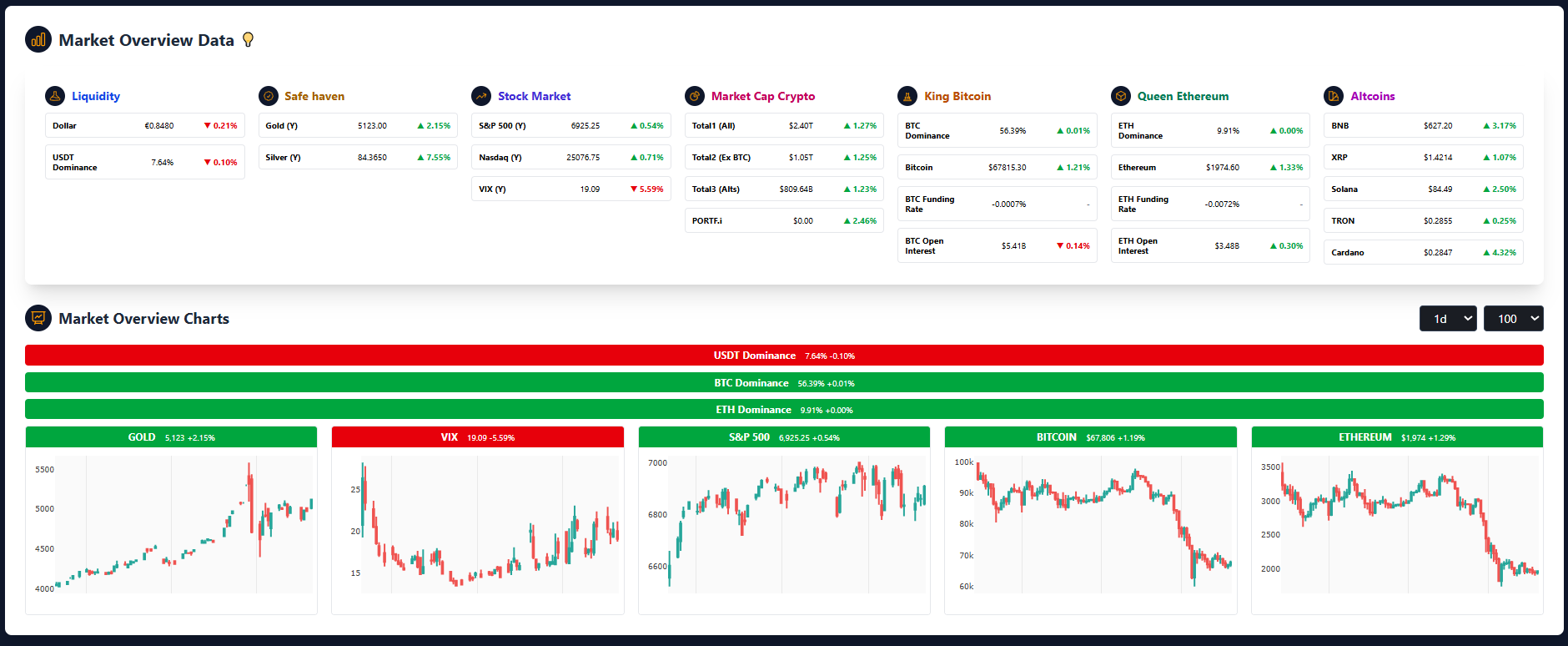
The Market Overview tab provides a “Top-Down” perspective. It combines traditional macro drivers (Equities, Dollar, Gold) with crypto-native metrics.
- Utility: Analyzing the broader economic trend helps users assess correlation risk. If global markets exhibit high volatility, individual crypto setups may carry increased risk.
9. 🤖 AI Quant Researcher
The AI Quant Researcher module synthesizes platform data into readable intelligence reports. Instead of manually cross-referencing indicators, the AI generates:
- Executive Summaries: High-level overviews for rapid assessment.
- Deep Dive Reports: Detailed analysis of market regimes and trend strength.
Key Intelligence Features:
- Moving Average & Fib Analysis: Automatically detects crossovers and reactions to key Fibonacci levels (e.g., 61.8%).
- Regime Scoring: Calculates “Regime Scores” to define the current trend environment.
- Smart S&R Mapping: Identifies critical Support (S1-S3) and Resistance (R1-R3) levels for reference.
10. Bitcoin Anomaly Detector
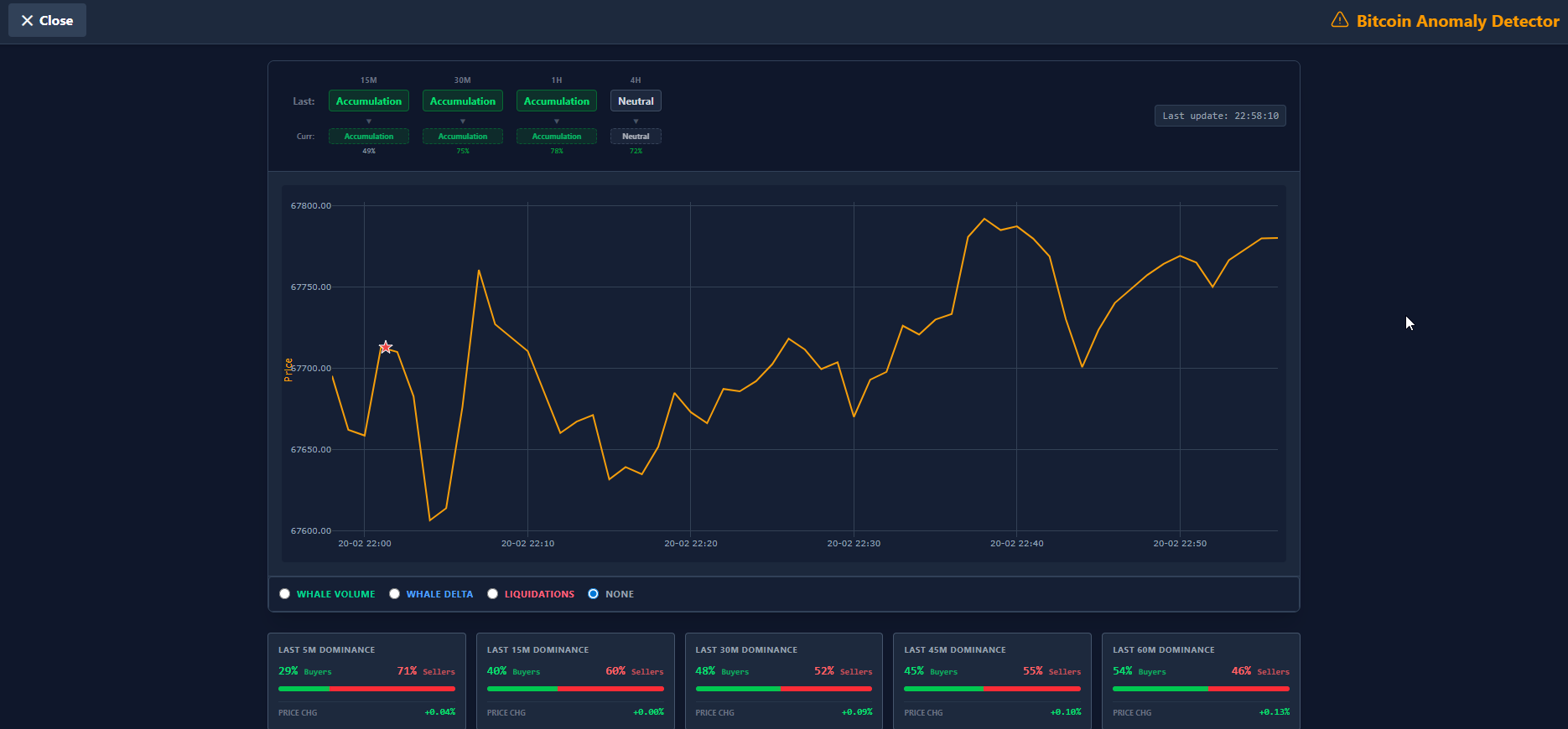
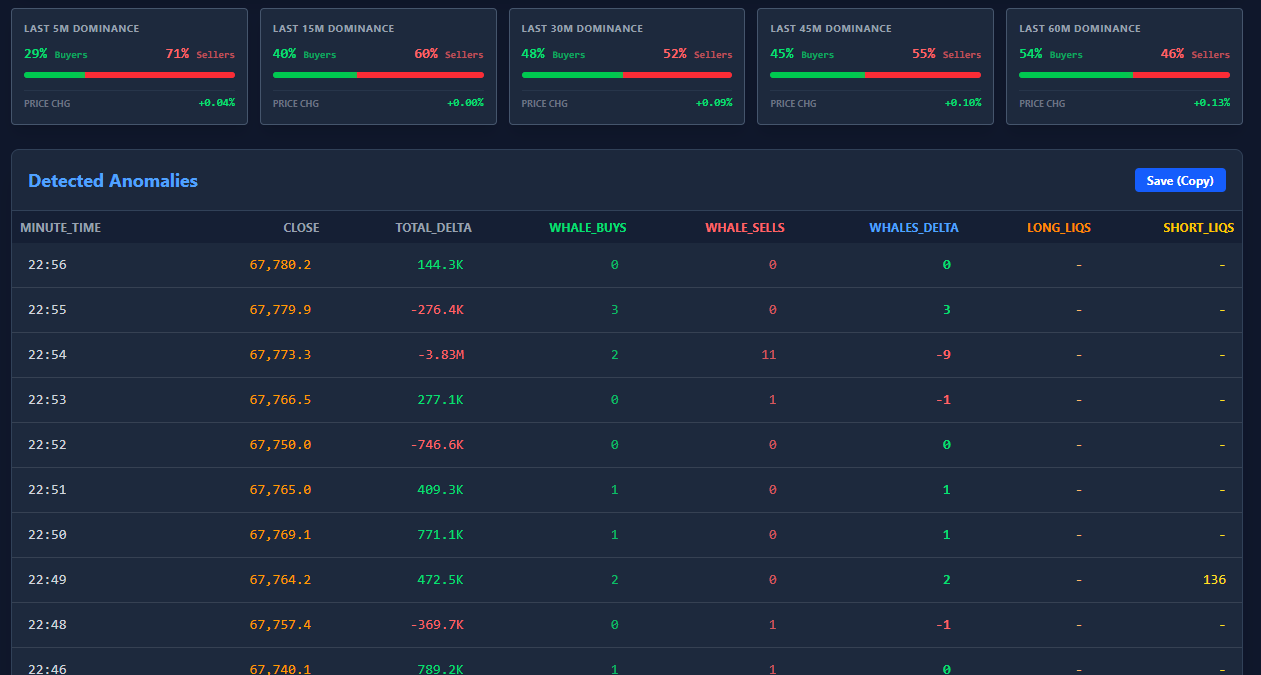
The AI Dashboard provides a real-time X-ray of the market, instantly classifying the current regime as Accumulation, Neutral, or Distribution based on order flow. It detects and visualizes hidden anomalies with star icons, signaling potential manipulation, exhaustion, or “God Candles” before they unfold. Traders can track the battle between buyers and sellers using Whale Dominance cards across 5 to 60-minute timeframes to spot smart money intent. Interactive charts allow you to overlay Whale Volume and Net Delta, revealing whether price moves are backed by genuine conviction or just retail noise. The system monitors critical liquidation levels, highlighting where long or short traders are forced out, often acting as fuel for reversals. A detailed log captures every detected anomaly and alert, which can be instantly exported to spreadsheets for deeper post-trade analysis.
Here is the concise summary:
- Real-time Market Status: Instantly identifies if the market is in Accumulation, Neutral, or Distribution phases.
- AI & System Alerts: Visualizes hidden anomalies and critical events like “God Candles” via star indicators on the chart.
- Whale Dominance: Tracks smart money intent with Buy/Sell ratios across 5 to 60-minute timeframes.
- Deep Dive Charts: Overlays Whale Volume, Delta, and Liquidations to confirm if price moves are backed by conviction.
- Actionable Data: Provides a downloadable log of every detected anomaly for further analysis.
Designed for Professional Workflows
AiTraderView App is engineered for:
- Crypto Traders
- Analysts
- Fund Managers
- Prop Traders
The interface prioritizes Data Confluence—the ability to view technicals, orderflow, and sentiment on a single screen to inform comprehensive analysis.
Evaluation: Free Access
The AiTraderView App is available for FREE. This allows traders to evaluate the full suite of modules, including institutional data feeds (ETF flows, Liquidations, SMC), and determine if the workflow enhances their analytical process.
Conclusion
As the crypto market evolves, the need for comprehensive data analysis increases. AiTraderView App offers a robust suite of automated tools designed to professionalize the analytical workflow. By basing decisions on aggregated data—from Smart Money footprints to Orderflow mechanics—users can strive for greater consistency in their market approach.
⚠️ RISK WARNING & AI DISCLOSURE
- This information is generated by Artificial Intelligence (AI) and complex algorithms. While advanced, these systems can contain errors or inaccuracies and are for educational purposes only.
- Technical analysis provides no guarantees; this information is purely informative.
- All discussed scenarios are hypothetical and do not constitute predictions or expectations.
- Past performance is not an indicator of future results.
- This is not financial advice and is not intended as a call-to-action for the reader.
- No implicit direction is claimed, and no specific behavior of market participants is suggested.